Following changes to Brazil’s fixed-odds betting regulation, apps with fixed-odds betting (gambling) features can now be distributed on the App Store in Brazil with a valid fixed-odds betting license from the Secretariat of Prizes and Bets (SPA) . If any of your apps include these features (indicated by selecting “Yes” to the gambling question in the age rating questionnaire in App Store Connect), you’ll need to provide this license. Keep in mind that answering “Yes” to the gambling question in the age rating questionnaire will set your Brazil age rating to A18. A new app version must be submitted to initiate the license verification process. Updating the App Review Information section in App Store Connect alone won’t start a review. When submitting a new version of your app for review: Include your license information in the App Review Information section in App Store Connect. Enter your license details in the Notes field. Attach any supporting documents using the file attachment field. Please ensure that your app complies with all disclosures and warnings requirements, including but not limited to age restrictions and gambling risks, as required under the law. For questions regarding your legal obligations, please contact your legal counsel. Learn more about Brazil age ratings Learn more about Brazil’s fixed-odds betting regulation
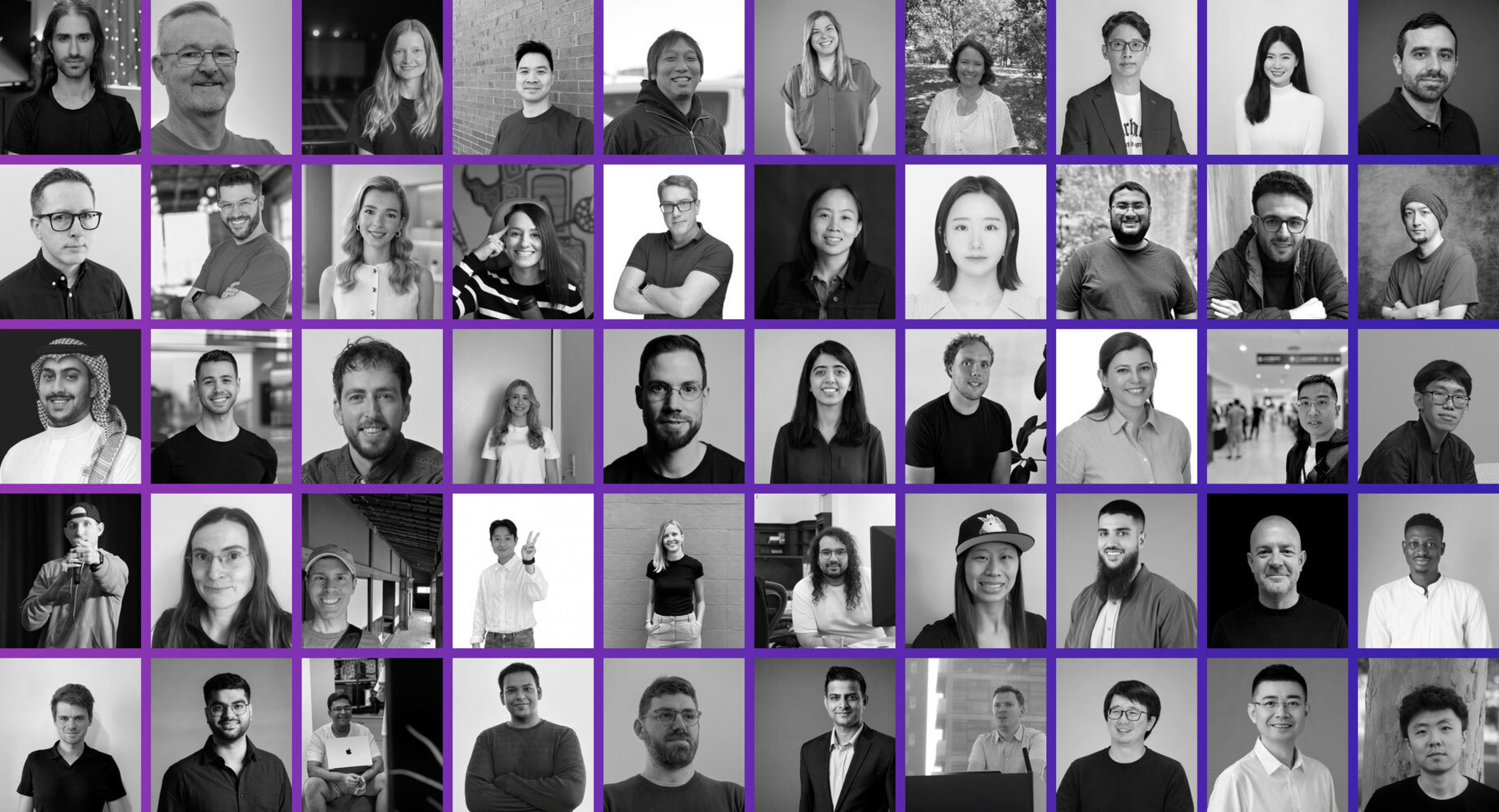
All around the world, Apple developers do meaningful work that extends beyond great apps and games. They organize events, write tutorials, mentor others, and create spaces to learn and grow. By sharing their expertise and championing each other, they represent the best of the community. Meet some of the inspiring people who are making a difference in the Apple developer community through technical contributions, thoughtful mentorship, and a commitment to helping others succeed. Meet the community >
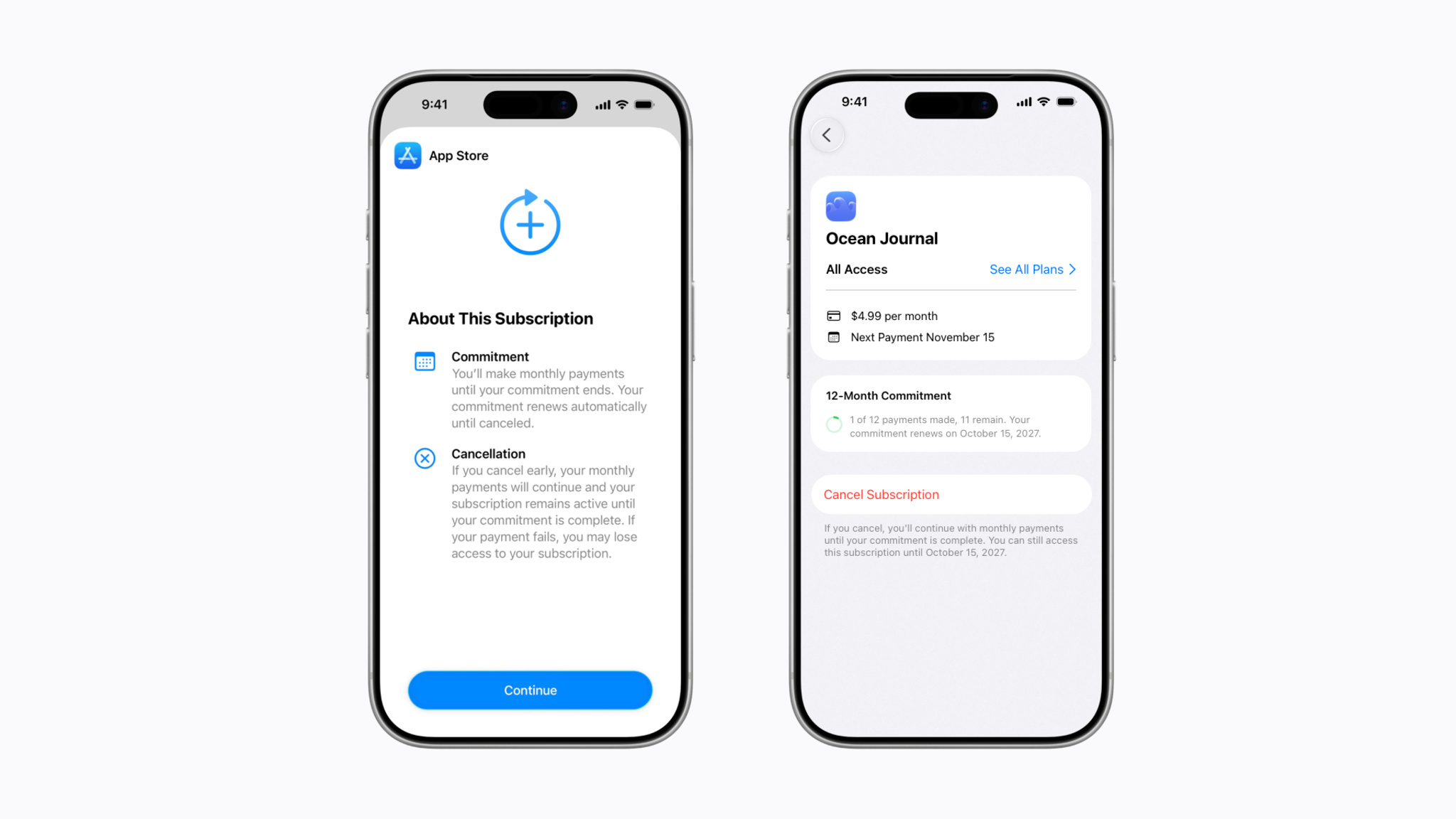
Today, we’re introducing a new way that people can pay for your auto-renewable subscriptions on the App Store: monthly subscriptions with a 12-month commitment. This new payment option allows you to offer subscribers more affordable options. People can cancel their subscription at any time, which will prevent the subscription from renewing after they’ve completed their agreed-to payments to fulfill their commitment. To provide transparency, people can easily view the number of completed and remaining payments for the subscription in their Apple Account. Apple will also send email and, if opted in, push notifications ahead of their renewal date to remind them of their upcoming purchase. You can now configure this type of subscription in App Store Connect and test it in Xcode. With the exception of the United States and Singapore, monthly subscriptions with a 12-month commitment will be available worldwide to people on iOS 26.4, iPadOS 26.4, macOS Tahoe 26.4, tvOS 26.4, and visionOS 26.4, or later, with the release of iOS 26.5, iPadOS 26.5, macOS Tahoe 26.5, tvOS 26.5, and visionOS 26.5 in May. Learn about configuring subscriptions Learn about auto-renewable subscriptions
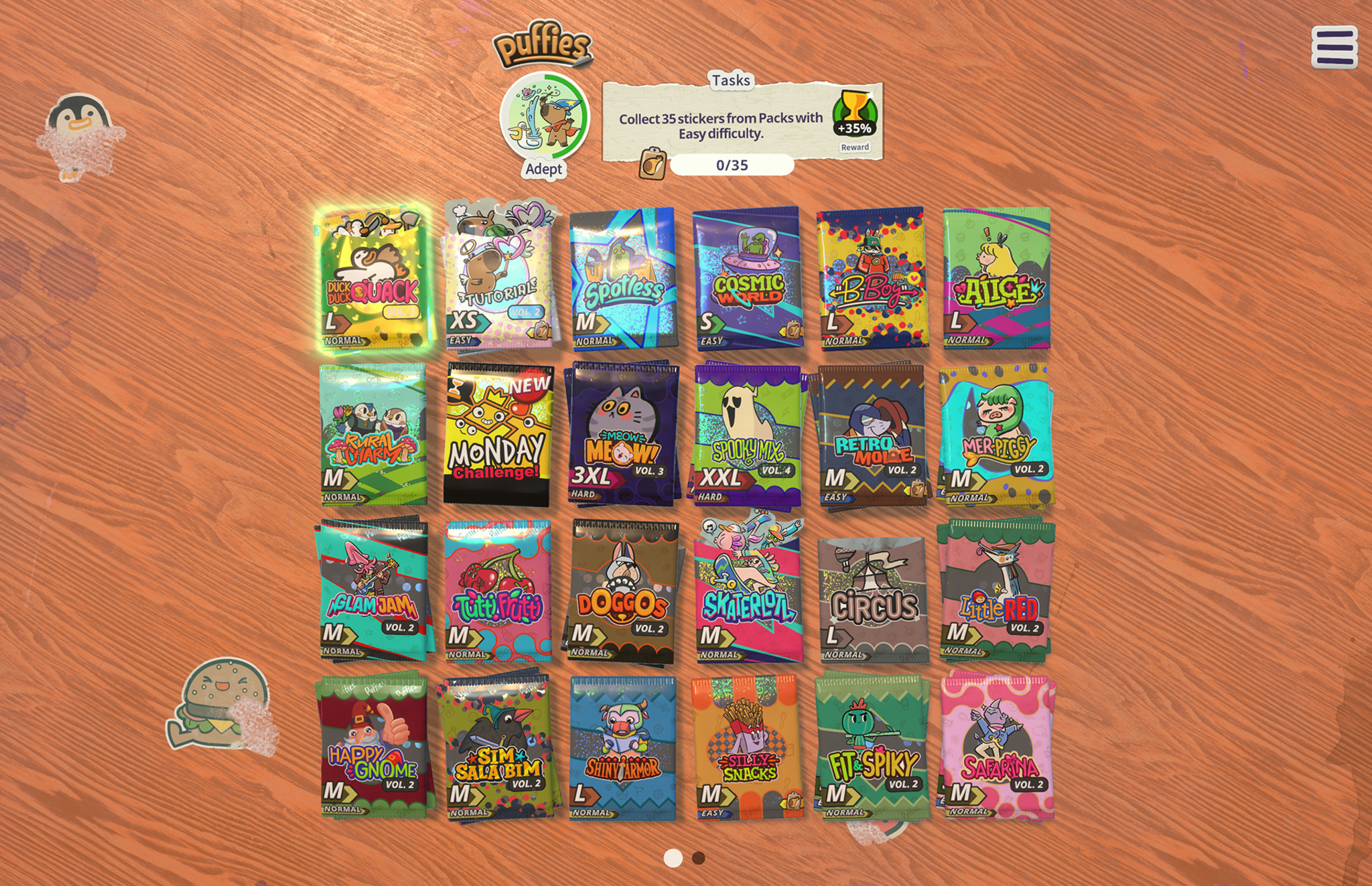
The delightful game puffies. combines the satisfying snap of a jigsaw puzzle with the nostalgic delight of a sticker book. This 2025 Apple Design Award finalist for Inclusivity is brimming with virtual puffy stickers, the sort that ’80s kids would slap on their binders or trade at recess. Players tear open themed packs of vibrant, kitschy decals — maybe punk-rock capybaras, maybe sporty sushi rolls — and place them on a blank sheet so everything fits without overlapping. The stickers are rendered with such accuracy that players can almost feel the slight give of their glossy surfaces under their fingertips — and the gentle haptic “blop” that accompanies each placement is supremely satisfying. Those sensations are no accident: puffies. developer Lykke Studios spent months fine-tuning these small moments. puffies. Available on: iPhone, iPad, Mac, Apple TV Team size: 8 Based in: Thailand and Cyprus Download puffies. from Apple Arcade > “We always start with a material that we like,” says Lykke Studios founder Jakob Lykkegaard. For the company‘s 2023 Apple Design Award winner, stitch. , that material was thread woven into whimsical embroidery puzzles. For their 2022 Apple Design Award finalist, tint. , it was watercolor paint on thick, textured paper. When the team began brainstorming the project that would become puffies. , they set their sights on a jigsaw-style experience that would feel natural on touchscreens. Their eureka moment was landing on puffy stickers as the puzzle pieces; they’re tactile, nostalgic, and far more interesting to look at than a lone jigsaw piece. And then it all blew up. “Because of the game physics, our first prototypes pretty much exploded,” laughs Lykkegaard. Every one of the game’s 4,000 stickers is a 3D-modeled object that’s beholden to the game’s physics engine — and early tests proved they did not play well together. Once the team figured out how to stop pieces from ricocheting around the virtual tabletop, they turned to the problem of what should happen when a player tries to place one sticker on top of another. Is that something that comes up a lot during play? Not really. Did they spend months perfecting it anyway? Absolutely. Lykkegaard recalls discussing the optimal outcome of this sticker-on-sticker scenario with the team. “Does it stick where it’s at? Does it slide down? And if it slides down, in what direction, and at what speed?” he says. They ultimately decided to simply have the sticker zip back to the edge of the puzzle where it came from, but “it’s not inaccurate to say we spent three months on this,” says Lykkegaard. “We scrapped the entire code base and started over again until it felt right.” That pursuit of perfection is threaded throughout the game’s design. The cutouts around each sticker were drawn by hand because automated tracing looked too sterile. Tilting a device causes a subtle parallax effect on a sticker’s vinyl surface, as though it were catching the light in the room. And the team iterated endlessly on snap distances — how close a piece needs to be to its proper spot before it will gently click into place when released — down to the last pixel. “Players can feel it subconsciously,” says Tanin-Andre Hohmann, producer at Lykke Studios. “They may not know it, but they say, ‘Oh, I like this more.’ And then if you ask why, they’re like, ‘I don’t know, really. It just fits better.’” That best-it-can-possibly-be philosophy also extends to the game’s art. From cute cactus creatures to anthropomorphic toilet plungers, puffies. stickers are brought to life by talented illustrators around the world. “It’s literally the artist’s art,” says Hohmann. “We wanted it as unfiltered as possible.” The game also benefits from its home country. While the Denmark-born Lykkegaard and many of his teammates hail from Europe, Lykke Studios is based in Phuket, Thailand — far from stuffy boardrooms and packed conference halls, close to a slower pace of life and easygoing creativity. “I tend to like coming into the bubble of the Bay Area or Europe, exploring things, and leaving that bubble again,“ says Lykkegaard. “And then having an unlimited amount of time to think and come up with new ideas.” That unhurried mindset can be felt in the puzzles themselves. Each sticker-sheet level is painstakingly designed by hand — no algorithms, no automation. Timers and “game over“ screens aren’t a thing in puffies. ; difficulty comes entirely from how many stickers are in the pack the player chooses. And to ensure larger puzzles don't overwhelm players on smaller devices, the camera gently zooms in to frame the area where the current handful of stickers belongs. Accessibility follows the same no-compromises logic. Players can enable more generous snap distances, toggle sticker-placement outlines, and use a finger-offset option that accommodates reduced motor function — or just very large hands. The guiding principle is simple: If a player comes up with a valid barrier the team hadn’t considered, and it’s feasible to fix, the team adds a solution. The cost of all this craft? Time. Thankfully, the team’s previous successes have given them the freedom to polish their games without rigid milestones. But even so, is it worth it? To obsess over squish and snap, to tune the “rip” of opening a sticker pack, to jettison heaps of code because a few interactions don’t feel perfect? “There are many things in the game that nobody will ever see, that we put energy into just because we know it’s there,” says Lykkegaard. “And that makes us proud.” Keep reading Developer stories explore best practices and philosophies from some of the most inventive developers in the Apple community. In each story, we go behind the screens with developers, designers, and engineers to find out how they brought their remarkable creations to life. Browse all developer stories >
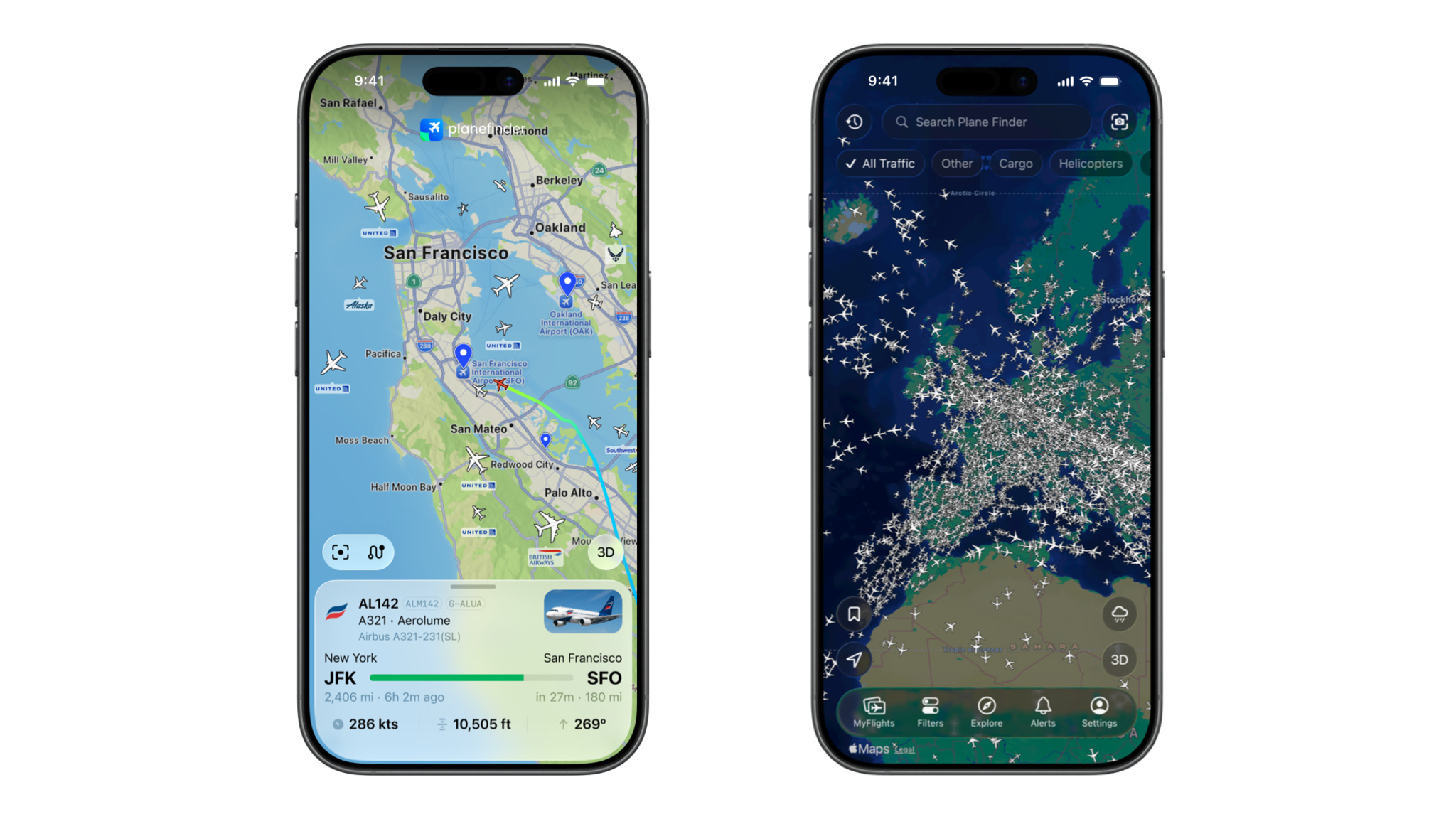
Plane Finder is a sparkling example of what happens when a small team grows with a platform. Launched in 2009, Plane Finder didn’t scale over the years by adding headcount, vendors, or complexity. Instead, founders Jodie and Lee Armstrong made a long-term bet on Apple’s ecosystem — staying native, sticking close to first-party tools, and reading platform signals early. And over time, an app that began as “planes on a map” evolved into a full end-to-end flight-tracking business — one that includes a global network of physical hardware — built and operated by a team of just eight people. We talked to the married founders about their early days, the new design and Liquid Glass, and the challenges of running a global flight tracking network. Plane Finder Available on: iPhone, iPad, Apple Watch Team size: 8 Based in: UK Download Plane Finder from the App Store > Take us back to 2009. What sparked the idea for Plane Finder , and what were those early days like? Lee: We’ve been on the App Store since about a year after it opened. It feels like a lifetime. But the real spark was seeing the unveiling of the iPhone itself in 2007. We were actually in the United States when it came out, so we picked one up, not really knowing what we’d do with it. There was no App Store yet, and I couldn’t even use it as a phone in the UK. It was literally just to hold and swipe back and forth. But that moment became such a huge part of our journey. We still have that iPhone on display. In those early days, did you have aspirations of becoming an end-to-end flight tracking platform? Jodie: Not at all. We started with just the app. Today, we collect our own positional information directly from aircraft, put it inside apps, and sell our data commercially. You’re a small team of eight people. What’s that like? Lee: I don’t think we could have done it without Apple technologies. We’re a small team, and we wouldn’t have the platform or methods to market on a global scale without the App Store — credit cards, StoreKit, localization. We really value the App Store as a platform. Plane Finder is known for adopting Apple technologies and features — like ARKit, MapKit, and Liquid Glass — early. Which tools have made the biggest difference? Lee: It all goes back to MapKit. We flippantly say the app is “planes on a map,” and MapKit is core to that. We’re also big users of Metal for our 3D globe view. And we just wouldn’t be able to handle subscriptions and monetization with promotional offers without StoreKit 2. We don’t use any third parties or cross-platform frameworks. We’re all in on Apple technologies because they provide everything we need. What made you willing to be such early adopters? Jodie: I steer the company from the mindset of a quote I heard years ago: “When new technologies come along, you can either be part of the steamroller or part of the road.” We always want to be part of the steamroller. We’re quick to evaluate new technology, and if we can lean into it in a way that makes sense for our products, we go for it. Can you talk about the process of adopting Liquid Glass? Jodie: We were on board with the concept straight away. From a leadership perspective, we said, “This is the future. We’ve got to make it make sense for what we do.” The design and engineering teams worked incredibly hard bringing those two things together — staying current and leaning into the tech while making it make sense for our world. What does the developer community mean to you? Lee: It’s the reinforcement piece. When you’re working in silos, the community gives you confidence that you’re applying technologies correctly. It’s all well and good seeing WWDC sessions with slides and sample code, but that’s very specific. Seeing how it works in the real world is invaluable. Jodie: Everyone I speak to within Apple has passion and opinions about our app. They’re very engaged, and every piece of feedback is valuable. We’ve been asked questions over the years like “Why do you do this with your toolbar?” All that conversation is helpful. Plane Finder isn’t just an app. You’ve deployed thousands of flight tracking devices worldwide. How has Apple’s ecosystem enabled that? Jodie: There’s a symbiotic relationship between people enjoying the app and wanting to get involved by hosting receivers where we need coverage. Lee: When we first started, we had one receiver covering the south of the UK. People downloaded the app and said, “This is great, but I live in Scotland and can’t see any planes.” So we’d send them a receiver. Before long, we heard that from Sweden, the United States, Africa, and Asia. Jodie: Today, we use the app to find people in locations where we want to improve coverage. We’re leveraging the power of the audience to grow the network even further. What’s next? Jodie: We haven’t finished our Liquid Glass journey. We’re working on an internal project code-named “Plane Finder Double Glazed” — the next iteration with wider UI changes that we held back initially. We’re also looking at how we can leverage machine learning and foundation models. What’s one thing people don’t realize about running a global flight tracking network? Lee: We own and operate the network of receivers that power it. A lot of people think we buy that data like other companies do. Jodie: We’ve designed and manufactured receivers and antennas. There’s more to us than just being an app! Keep reading Developer stories explore best practices and philosophies from some of the most inventive developers in the Apple community. In each story, we go behind the screens with developers, designers, and engineers to find out how they brought their remarkable creations to life. Browse all developer stories >
Apple Developer News··5 min read
Zero-Day
↘2K
💬
Top Discussion
HN
Hacker News
“GPT-5.5's API pricing is reshaping how startups build AI products”