Matched "Android Developers Blog"Found in Content
MobileNews
Android may soon restrict on-device ADB
980 points 484 comments on Hacker News · kitsumed.github.io
Hacker News1 min read
Explore
Showing results for:
"Android Developers Blog"
69 results • Page 2 of 6
Matched "Android Developers Blog"Found in Content
980 points 484 comments on Hacker News · kitsumed.github.io
Matched "Android Developers Blog"Found in Content
Several under-the-hood optimizations reduced janky scrolling on Chrome for Android by 48%.
Matched "Android Developers Blog"Found in Content
Finally, some respite from those pesky notification prompts.
Matched "Android Developers Blog"Found in Content
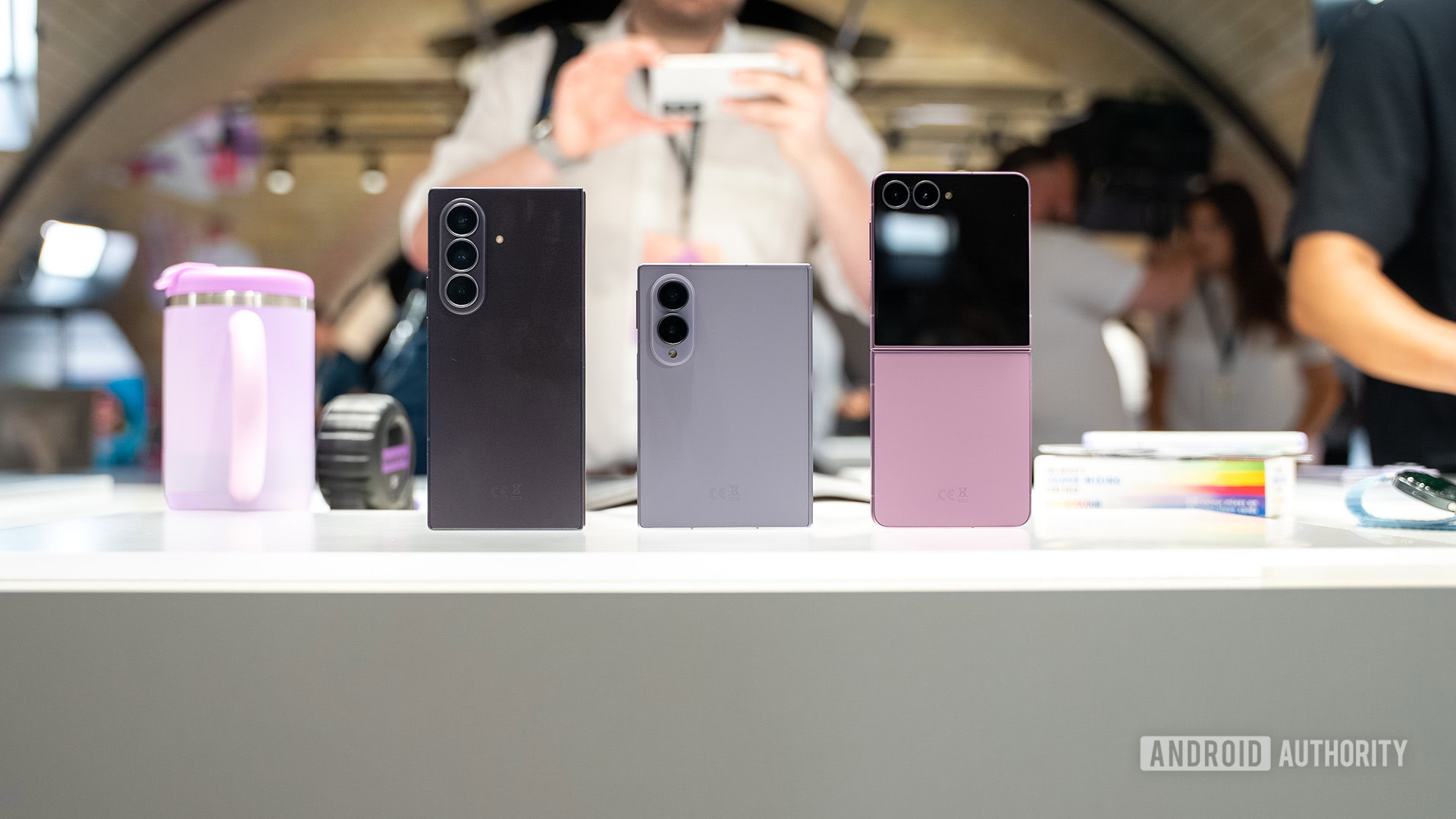
Gemini Nano 4 powers on-device Gemini Intelligence features on the new foldables.
Matched "Android Developers Blog"Found in Content
2 points 0 comments on Hacker News · abhi.now
Matched "Android Developers Blog"Found in Source
Posted by Fahd Imtiaz, Senior Product Manager and Miguel Montemayor, Developer Relations Engineer, Android Developer Experience Today at Galaxy Unpacked, Samsung unveiled its latest lineup of foldable and wearable devices. For developers, this means that the variety of form factors, screen sizes, and device postures your app needs to support is expanding once again. With devices like the Galaxy Z Fold8, the ecosystem is expanding to include hardware with a landscape-first natural orientation and a wider aspect ratio in its main display state. Whether a user is unfolding a large display, flipping open a cover screen, or glancing at their wrist, users expect a flawless experience. To help you meet this moment, we’re sharing actionable guidance and new tooling updates to enable you to build adaptively proactively. Rethink layout architecture for dynamic displays, including ultra-wide foldables Building for the latest foldables means dropping assumptions about display orientation and size. This is especially true for the Galaxy Z Fold8, which adopts an ultra-wide display, adding to the variety of aspect ratios to account for. Devices with this landscape-first natural orientation show the limitations of hardcoded layout rules when users unfold the device. That’s why we’ve introduced dedicated guidance for building for landscape foldables and trifolds. To build a responsive UI that handles these physics seamlessly, focus on the following core pillars: Build fluid, adaptive layouts: Wide aspect ratios and compact vertical heights require fluid UIs that scale responsively. Our updated adaptive design guidance advises considering the window class width first to determine layout changes, then adjusting for height. To let individual components fluidly adapt to the grid, structure your layout using flexible containers that allow your content to automatically wrap, span, and reflow. For design inspiration browse our adaptive sample app and dual-screen design galleries. Track actual app space: Your app's display space rarely matches the physical device size, especially on an ultra-wide screen during multi-window, split-screen, or multitasking states. Sometimes even the orientations differ. Leverage Window Size Classes using the Jetpack Window Manager library to calculate the exact space your app occupies. Leverage the latest Jetpack Compose Update: Start by adopting the stable Jetpack Compose April '26 release ( Compose BOM version 2026.04.01 ).Take advantage of the new structural layout tools to manage complex architectures. The new Grid API allows you to define dynamic tracks and column spans without the performance overhead of a lazy list. Pair Grid with the new FlexBox layout API to easily handle multi-axis alignment and dynamic item wrapping. You can also use the new MediaQuery API to adapt your UI to its environment, using conditions to detect signals like device posture, window size, and keyboard types. Make your app fold aware: Use the Jetpack WindowManager library, which provides an API surface for foldable device window features such as folds and hinges. When your app is fold aware , it can adapt its layout to avoid placing important content in the area of folds or hinges and use folds and hinges as natural separators. Maintain app continuity: Avoid breaking the user journey when the device configuration shifts. Retain your UI state using ViewModel to ensure smooth transitions when a user folds or unfolds their device. Ensure seamless camera capture on foldable devices Camera implementation on foldables brings unique hardware quirks. Moving from a compact outer display to an expanded inner display introduces distinct layout aspect ratios while device rotation remains unchanged. If an app assumes a fixed portrait relationship between the camera sensor and the device layout, the app will likely suffer from sideways, stretched, or cropped previews during these folding transitions. When optimizing your app's media pipeline, migrate your capture experiences to CameraX using the CameraX migration skill . The library’s PreviewView automatically handles sensor orientation, device rotation, and scaling behind the scenes. This guarantees a clean, stable preview regardless of how the user holds or positions the device. If you are maintaining an existing Camera2 codebase, integrate the CameraViewfinder library to apply these complex aspect ratio and rotation transformations automatically without needing a total architecture overhaul. Extend glanceable interactions to Wear OS 7 The opportunity to build for this new generation of devices extends right to the wrist. Launching with Wear OS 7, Wear Widgets give you a fresh surface to provide users with instant, glanceable access to their essential updates. You can build these highly expressive experiences using Jetpack Glance and RemoteCompose . Crucially, Widgets built with this framework can now populate multi-widget tiles that were previously reserved for first-party widgets. Build intelligent features Gemini intelligence already completes tasks on users’ behalf, and you can experiment with the intelligence system by sharing your apps capabilities. Samsung’s new foldable devices come with Gemini Nano 4, our latest on-device model. Nano 4 provides support for over 140 languages, better multimodal understanding, and much more . Use ML Kit’s Prompt API with advanced features like s tructured output and thinking mode to build intelligent features on-device. Start optimizing today The tools and frameworks are ready to help you optimize your app for all screen sizes. Begin by exploring our guidance for building adaptive apps to learn more about core adaptive design principles. To dive deeper, check out our comprehensive YouTube playlist . Finally, ensure your app delivers a flawless, premium experience on the newest form factors by reviewing our dedicated quality guidelines for trifolds and landscape foldables and WearOS . Unfold the future today!
Matched "Android Developers Blog"Found in Description
Google DeepMind today released three new proprietary AI models it says are among its most token-efficient yet: Gemini 3.6 Flash, Gemini 3.5 Flash-Lite, and Gemini 3.5 Flash Cyber. The models aim to make AI agents faster, smarter, and cheaper at scale. Google is pricing Gemini 3.6 Flash at $1.50 per one million input tokens and $7.50 per one million output tokens through its application programming interface (API), while Gemini 3.5 Flash-Lite costs a staggeringly cheap $0.30/$2.50 per million tokens in/out. Compare that to the $1.50/$9.00 per 1M tokens for Gemini 3.5 Flash, and the $2/$12 for Gemini 3.1 Pro Preview, and the savings are considerable. However, Google's prior generation Gemini 3.1 Flash-Lite still remains the search giant's "most cost-efficient" model at $0.25/$1.50 per 1M tokens. Yet, it remains 2X slower than the new, more expensive Gemini 3.5 Flash-Lite, giving those enterprises who value speed more "bang" for their buck. VB Frontier AI Model API Pricing Comparison Chart (Late July 2026 Shortlist) Model Input ($/1M) Output ($/1M) Total ($/1M) Source MiMo-V2.5 Flash $0.10 $0.30 $0.40 Xiaomi deepseek-v4-flash $0.14 $0.28 $0.42 DeepSeek deepseek-v4-pro $0.435 $0.87 $1.305 DeepSeek MiniMax-M3 $0.30 $1.20 $1.50 MiniMax LongCat-2.0 — limited-time promo $0.30 $1.20 $1.50 LongCat Gemini 3.1 Flash-Lite $0.25 $1.50 $1.75 Google Qwen3.7-Plus $0.40 $1.60 $2.00 Alibaba Cloud MiMo-V2.5 $0.40 $2.00 $2.40 Xiaomi Gemini 3.5 Flash-Lite $0.30 $2.50 $2.80 Google LongCat-2.0 — standard $0.75 $2.95 $3.70 LongCat MiMo-V2.5 Pro (≤256K) $1.00 $3.00 $4.00 Xiaomi GLM-5.2 $1.40 $4.40 $5.80 Z.ai GPT-5.6 Luna $1.00 $6.00 $7.00 OpenAI Grok 4.5 $2.00 $6.00 $8.00 xAI MiMo-V2.5 Pro (>256K) $2.00 $6.00 $8.00 Xiaomi Gemini 3.6 Flash $1.50 $7.50 $9.00 Google Qwen3.7-Max $2.50 $7.50 $10.00 Alibaba Cloud Gemini 3.5 Flash $1.50 $9.00 $10.50 Google Gemini 3.1 Pro Preview (≤200K) $2.00 $12.00 $14.00 Google GPT-5.6 Terra $2.50 $15.00 $17.50 OpenAI GPT-5.4 $2.50 $15.00 $17.50 OpenAI Kimi K3 $3.00 $15.00 $18.00 Moonshot AI Gemini 3.1 Pro Preview (>200K) $4.00 $18.00 $22.00 Google Claude Opus 4.8 $5.00 $25.00 $30.00 Anthropic GPT-5.5 $5.00 $30.00 $35.00 OpenAI GPT-5.5 Instant (chat-latest) $5.00 $30.00 $35.00 OpenAI Sakana Fugu Ultra (≤272K) $5.00 $30.00 $35.00 Sakana AI GPT-5.6 Sol $5.00 $30.00 $35.00 OpenAI Claude Fable 5 / Claude Mythos 5 $10.00 $50.00 $60.00 Anthropic No price was provided yet for the specialty Gemini 3.5 Flash Cyber model, which, as its name would imply, is designed for cybersecurity researchers and red teamers to patch bugs. While the prices are among the middle-low end of all major AI models globally, the fact that Google designed them to use less tokens overall also should drive down costs for enterprises beyond what the sticker price shows (since you'll be paying for fewer total tokens at any rate). Gemini 3.6 Flash and Gemini 3.5 Flash-Lite are available immediately through the Gemini API in Google AI Studio and Android Studio, as well as within the consumer Gemini application and Google Search. According to a separate Google blog post , Gemini 3.5 Flash Cyber will be available "exclusively available to governments and trusted partners via CodeMender soon" — CodeMender being Google's proprietary AI code bug-fixing agent released last year. As with previous Gemini models, these are all proprietary and "closed source," thus, they can only be obtained through Google's official API and that of its partners, as opposed to an open-source license like MIT or Apache 2.0. One conspicuous omission noted by developers on X and social media: where is the larger, more powerful, flagship Gemini 3.5 Pro model Google previously alluded would be released this summer? After all, Gemini 3.1 Pro, the prior flagship, debuted back in February 2026 , and rivals OpenAI and Anthropic have since released several more generations of flagship updates far more powerful than Google's. Google technical staffer Logan Kilpatrick responded to one such inquiry on X, writing : "Gemini 3.5 Pro is currently testing with partners and we plan to make it broadly available as soon as it’s ready." Google's release signals that the immediate future of AI lies in agentic capabilities—systems that operate autonomously over extended periods. If early large language models are akin to massive, fuel-hungry freight trains capable of hauling incredible loads at immense cost, the new Flash series represents a fleet of nimble, hyper-efficient hybrid delivery vans. Efficiency gains ranging from 17% to 65% reduced tokens for strong results on third-party benchmarks Under the hood, Gemini 3.6 Flash achieves significant efficiency gains. The model reduces output token usage by 17% compared to its predecessor, Gemini 3.5 Flash, according to the Artificial Analysis Index maintained by the independent third-party AI benchmarking group of the same name. In specific long-horizon software engineering benchmarks like DeepSWE , which measures how well agents complete multi-step engineering tasks from scratch, the token savings reach up to 65%. This reduction means the model requires fewer reasoning steps and tool calls to complete the exact same multi-step workflow. Think of token efficiency like fuel economy in a vehicle. When an AI model takes a convoluted path to solve a problem, it burns through more computational fuel, driving up the final cost for the developer. By streamlining its internal logic, Gemini 3.6 Flash arrives at the correct answer faster and cheaper. While Google's materials did not specify the exact architectural or algorithmic changes used to achieve this token efficiency, they noted that the model "takes fewer reasoning steps and tool calls to accomplish multi-step workflows" and exhibits reduced "verbosity." The official model cards released by Google reveal that both Gemini 3.6 Flash and Gemini 3.5 Flash-Lite feature a 1-million-token input context window alongside a max output limit of 64,000 tokens, with both models sharing a knowledge cutoff date of March 2026. Respectable benchmark performance at low cost The technological improvements extend to concrete capabilities. Gemini 3.6 Flash scores 49% on the DeepSWE benchmark, a notable increase from the 37% achieved by version 3.5. It also pushes machine learning engineering performance higher, scoring 63.9% on MLE-Bench compared to 49.7% previously. Furthermore, Google integrates computer use as a built-in client-side tool via the Gemini API and Gemini Enterprise, reflecting an OSWorld-Verified score of 83.0%, up from 78.4%. The model also tackles knowledge work with greater proficiency, outperforming its predecessor on benchmarks like GDPval-AA v2 by moving from a score of 1349 to 1421. To ensure safety amidst these capability upgrades, Google deploys enhanced Frontier Safety safeguards. These protections harden the model against jailbreaks and mitigate risks in Chemical, Biological, Radiological, and Nuclear domains, as well as cyber offense misuses. The engineering team trains the model to minimize refusals for beneficial uses, striking a necessary balance between strict security and practical utility. M odels for low-cost coding, agentic, and cybersecurity use cases — respectively Google divided its new offerings into three distinct products tailored for different operational needs. Gemini 3.6 Flash serves as the heavy-duty workhorse of the trio. It handles complex coding, intricate knowledge work, and multimodal processing with improved precision. Enterprise customers utilize it for demanding tasks such as complex document parsing, intricate chart and data analysis, and long-form report drafting. The model executes complex code migrations using multi-agent orchestration frameworks with lower latency and higher quality than earlier iterations. Furthermore, 3.6 Flash aids in developing photographic texture extractors for 3D workflows using canvas interfaces. Gemini 3.5 Flash-Lite targets environments where high throughput and absolute minimal latency are non-negotiable. Google designates it as the fastest model in the 3.5 series. As measured by Artificial Analysis, the model processes 350 output tokens per second, making it highly effective for agentic search and massive document processing workloads. Artificial Analysis notes this is about twice as fast as prior generation model Gemini 3.1 Flash-Lite. Developers can configure 3.5 Flash-Lite to prioritize low-latency execution for high-volume tasks using minimal thinking levels, or engage higher thinking levels to process complex multi-step subagent workloads. Despite its lite designation, it outperforms the standard Gemini 3 Flash on several key agentic and coding evaluations, including SWE-Bench Pro, where it scores 54.2% compared to 49.6%, and OSWorld-Verified, scoring 74.0% versus 65.1%. The model extracts product features from massive datasets, generates interactive web design concepts, and scales receipt translation seamlessly. The third product, Gemini 3.5 Flash Cyber, represents a highly specialized deployment. Google fine-tuned this model specifically to find and fix cybersecurity vulnerabilities. It integrates directly with Google's CodeMender agent. In practice, multiple 3.5 Flash Cyber agents work concurrently to produce a single, comprehensive vulnerability report, achieving competitive performance at the frontier on the CyberGym benchmark, even getting within range of Anthropic's much-hyped Mythos model. Google did not specify an exact numerical cost for 3.5 Flash Cyber, stating only that it is fine-tuned "at a lower price per token than larger models. Commercial licensing only The licensing framework for the new Gemini models carries profound implications for developers and enterprise users. Google deploys Gemini 3.6 Flash and 3.5 Flash-Lite under a commercial, proprietary API model. Unlike open-source software governed by licenses such as the MIT License or the GNU General Public License, developers do not gain access to the underlying model weights, training data, or source code. An MIT or GPL license grants users the freedom to download the codebase, modify the internal architecture, self-host the deployment, and distribute the software infrastructure independently. In contrast, Google's API approach means developers essentially rent access to the intelligence on a strict metered basis. Every prompt and generated response travels through Google's managed servers, incurring a cost based on the strict pricing structure of $1.50 per million input tokens for 3.6 Flash. This commercial tethering restricts deployment flexibility. Enterprises cannot air-gap the models entirely on their own local secure hardware without establishing specialized, high-tier enterprise agreements with Google Cloud. Developers remain bound by Google's acceptable use policies, arbitrary rate limits, and network requirements, creating a permanent dependency on Google's infrastructure uptime and terms of service. The licensing for Gemini 3.5 Flash Cyber proves even more restrictive. Acknowledging the dual-use nature of cybersecurity AI—which attackers can weaponize just as easily as defenders can use it to patch systems—Google is for now making the model only available behind a limited-access pilot program, similar to the trend kicked off by Anthropic's Mythos model with its Project Glasswing program , and continued by OpenAI with its staggered rollout for GPT-5.6 . In this case, Google is making 3.5 Flash Cyber exclusively available to governments and trusted partners. This strict gatekeeping prevents open access, prioritizing systemic security over widespread developer innovation. Looking ahead Google DeepMind continues to iterate rapidly, but the gap in its product line remains apparent. While the Flash series excels in speed and economy, the industry eagerly awaits the deployment of Gemini 3.5 Pro to gauge Google's absolute frontier capabilities. Simultaneously, the company confirms that pre-training for Gemini 4 has already commenced. Until the next major flagship release materializes, developers must optimize their systems using the highly efficient, yet purposefully constrained, Flash architecture.
Matched "Android Developers Blog"Found in Description
Posted by Ben Weiss, Senior Developer Relations Engineer, Android Developer Relations Welcome back to the blog post series " Build intelligent Android apps " where we take a basic Android app and transform it into a personalized, intelligent, and agentic experience. In our previous post , we explored how to leverage Firebase AI Logic to build cloud-hosted and hybrid AI features. Traditional mobile UIs excel at focused, hands-on tasks, and the Android intelligence system is introducing complementary features to make complex, multi-step actions even easier. By supplementing traditional user interfaces, AppFunctions provide a powerful new entry point: A privileged agent on the device can access app features in the background. This can be particularly helpful when users are driving, walking or otherwise multitasking. In this article, we'll show you how we designed and integrated these capabilities into our travel planning app, JetPacker , using Android AppFunctions. We'll explore the rationale behind our feature choices, discuss the specialized tooling we used to accelerate development, and dive into the code that makes it all work. Designing AI-ready features: making choices that matter for your users To select which features to provide to the intelligence system, we looked for tasks where a voice or text command is objectively faster than tapping through screens. In this side-by-side screen recording you can see this contrast perfectly: on the left, a user tapping through multiple screens to log an expense; on the right, the same task completed instantly in the background via a privileged agent. Our first choice was expense tracking. Logging a coffee expense during a trip usually takes quite a few taps—unlocking the phone, opening the app, finding the active trip, navigating to the expenses tab, tapping the add button, taking a picture of the receipt, and checking the result. By providing the addExpense and getExpenses features as AppFunctions, the system agent handles the heavy lifting. When the user says, "Add a five-dollar coffee expense to my Paris trip," the agent automatically searches for the correct trip ID in the background and inserts the expense, skipping the manual UI flow entirely. We also prioritized itinerary management. Finding what activity is next on a busy trip itinerary usually requires scrolling through a dense timeline view. By providing getItinerary and addItineraryEvent to the system, the user can simply ask, "What am I doing next in Paris?" and get an immediate answer. Finally, we focused on hands-free note capturing. Typing out reminders or notes while walking down a busy street is difficult and unsafe. Exposing a voice note capability allows the user to say, "The flight was amazing, I saw a beautiful sunset and managed to sleep well," and the privileged agent automatically transcribes and saves it directly into the travel database using the addVoiceNote AppFunction. Android MCP powered by AppFunctions This entire experience is built on Android MCP. Under this design, the app acts as a local MCP server. Rather than remote APIs, you provide your app features directly to the on-device intelligence system. Android AppFunctions is the API that brings this concept to life. It reads annotated Kotlin functions and compiles them into type-safe, sandboxed tool definitions that the privileged agent can discover and invoke locally on the device. Diagram highlighting our apps, the android platform, and system agents coordinate AppFunctions. Under the Android MCP model, your app acts as a local MCP server that exposes structured tools, while the Android platform serves as the central tool registry. On the MCP client side, agent apps are registered with the intelligence system after being granted system-privileged permissions to access the registry. When a user interacts with a registered agent, its LLM determines if the request can be handled by an AppFunction, queries the platform's metadata, and executes the appropriate registered functions in the background. This local MCP client-server design gives you full control: you choose exactly which features are accessible to the agent, keeping the rest of your app's data private. How we accelerated development with Android skills To streamline the integration process, we leveraged the AppFunctions development skill . The AppFunctions development skill is a complete development companion. It guided us through the entire lifecycle: mapping Kotlin data classes to serialize parameters, generating the necessary Service entry points, refining our KDoc documentation to ensure the LLM understands parameter boundaries, and setting up automated testing using ADB. Providing app features to the intelligence system Enough with the theory, let's dive into the implementation. Configuration and dependency setup We begin by adding the AppFunctions dependencies. One for the API and one for the Kotlin Symbol Processing compiler. implementation("androidx.appfunctions:appfunctions:1.0.0-alpha10") ksp("androidx.appfunctions:appfunctions-compiler:1.0.0-alpha10") Modeling custom data types Any custom object exchanged with the agent must be annotated with @AppFunctionSerializable . In our TripSerializable.kt file, we define our trip data model: @AppFunctionSerializable(isDescribedByKDoc = true) data class TripSerializable( /** The trip's unique identifier. */ val id: String, /** The trip's title. */ val title: String, /** The trip's destination location. */ val location: String, /** The trip's start date in milliseconds. */ val startDate: Long, /** The trip's end date in milliseconds. */ val endDate: Long, /** A list of participants. */ val participants: List<String>, ) Providing features using the @AppFunction annotation Next, the skill wrote the Kotlin functions that perform the database queries and annotate them with @AppFunction . We can view this in searchTrip: /** * Looks for trips based on optional filters like id, title (name), location, and dates. * * @param id The unique identifier of the trip. * @param title The title or name of the trip. * @param location The destination location. * @param startDate The minimum start date in milliseconds. * @param endDate The maximum end date in milliseconds. * @return A list of trips matching the filters. */ @AppFunction(isDescribedByKDoc = true) suspend fun searchTrip( id: String? = null, title: String? = null, location: String? = null, startDate: Long? = null, endDate: Long? = null ): List<TripSerializable> { return withContext(Dispatchers.IO) { // implementation } Since AppFunctions run on the UI thread by default, we use withContext(Dispatchers.IO) to switch to a background dispatcher. Additionally, we refine our KDoc to use clear, imperative verbs and specify parameter constraints. This documentation compiles directly into the tool's schema, which the privileged agent uses to resolve parameters and handle runtime errors. The service entry point and Hilt integration To register these features with the intelligence system, we create an abstract base class that extends AppFunctionService . We annotate it with @AppFunctionServiceEntryPoint : @RequiresApi(36) @AndroidEntryPoint @AppFunctionServiceEntryPoint( serviceName = "JetPackerAppFunctionService", appFunctionXmlFileName = "jetpacker_app_function_service" ) abstract class BaseJetPackerAppFunctionService : AppFunctionService() { @Inject internal lateinit var tripDao: TripDao // DAOs and database references are injected here... } During compilation, KSP generates the final concrete service subclass, JetPackerAppFunctionService , as declared with the serviceName parameter. We also register app_metadata.xml in the app's manifest. This file provides global operational rules for JetPacker's declared AppFunctions. Testing and verifying your AppFunctions Once implemented, you should verify that your AppFunctions are registered and working correctly. Running devices or emulators with Android 17 or newer, you can use ADB commands from your terminal to list and invoke your functions. Running adb shell cmd app_function list-app-functions displays all registered functions for your package. You can then execute a specific function and test its database integration by running adb shell cmd app_function execute-app-function while passing a raw JSON parameters string. Instead of these ADB commands, you can also use the AppFunctions Testing Agent to inspect your configuration, list and execute AppFunctions, and even see how your AppFunctions behave in a real conversational flow. Wrapping it up When thinking about app features that can be contributed to the intelligence system using AppFunctions requires a slight shift in how we think about code and documentation. AppFunctions enable you to use this new interaction model for apps, which allows using an agent to access app features.. First, the AppFunctions development skill is an essential lifecycle tool, helping you discover features, implement and refine AppFunctions for your apps. Second, KDoc comments are a compiled API asset; clear parameter descriptions directly impact the execution accuracy of the system agent. Finally, Android MCP provides local-first execution allowing apps to safely collaborate with AI agents. Contributing app features through AppFunctions makes your application ready for the intelligence system. Let us know how you are adapting your apps for the agentic era! Learn more Check out the other parts of this blog post series: Part 1: Introduction of the app and a high-level overview. Part 2: On-device intelligence. Deep-dive into ML Kit’s GenAI APIs and Gemini Nano to build privacy-first features like itinerary summarization, receipt parsing, and local audio processing. Part 3: Hybrid and cloud reasoning. Explore how to use Firebase AI Logic to ground LLM answers in real-world data like Google Maps and web context. Part 4 (this post!): System integration. Integrating with the Android intelligence system using AppFunctions. Part 5 (coming soon): In-app agentic workflows. Extend the app with an end-to-end booking assistant powered by A2UI and ADK. Interested in more on Android Development? Follow Android Developers on YouTube or LinkedIn ! All code snippets in this blog post follow the following copyright notice: Copyright 2026 Google LLC. SPDX-License-Identifier: Apache-2.0
Matched "Android Developers Blog"Found in Description
Posted by Caren Chang, Developer Relations Engineer, Android Developer Relations Welcome back to the blog post series " Build intelligent Android apps " where we take a basic Android app and transform it into a personalized, intelligent, and agentic experience. In our previous post we introduced Jetpacker , the demo app we'll use throughout this series. In this blog post, we will share how you can use Gemini Nano through ML Kit’s Prompt API to build intelligent on-device features. Building intelligent on-device features refers to the ability to process prompts and data directly on a device without sending data to a server. This offers a few advantages: User data can be processed locally on the device, preserving user privacy Functionality of the model is reliable even with spotty or no internet connection No additional cloud inference cost , since everything runs on the user’s hardware With the benefits of on-device in mind, we identified three features to add in Jetpacker that can improve the user experience: summarizing trip itineraries, managing expenses, and capturing voice notes. On-device features in Jetpacker: Summarizing trip itineraries, managing expenses, and voice notes High quality tailored summarization of short texts The itinerary screen gives users a quick overview of all activities for a given trip. Since this screen contains a lot of information, it can quickly become overwhelming. To help users prepare without feeling overwhelmed, we can add a ‘ Get ready for your trip ’ section at the top. The romantic Paris trip is summarized as a classic Parisian adventure blending art, sights, and delicious food. A tip and some useful phrases are also added. By inputting a trip itinerary and asking an LLM to summarize it, we can generate a quick summary of the trip along with packing tips and useful local phrases. This is a great use case for an on-device model for several reasons: Performance and quality : Both the input and output text are relatively short. With that, we can expect the performance and quality of an on-device solution to be on par with more powerful cloud models. Scalability : Shifting inference on-device allows us to scale this feature from a few users to millions without worrying about managing increasing cloud inference costs. Low latency and reliability : On-device inference guarantees low latency, providing a reliable experience even when users are offline. To build with on-device, we use Gemini Nano , Google’s most efficient model optimized for mobile devices. Gemini Nano was first introduced a few years ago, and is now running on over 140 million devices. The latest version of the model, Gemini Nano 4, is built on the architecture foundation of the recently released Gemma 4 model , and is further optimized for maximum battery and performance efficiency. Using ML Kit’s Prompt API , we can take advantage of Gemini Nano 4’s new model capabilities to prototype our on-device features. We’ll create a prompt that includes the itinerary of a trip and ask the model to generate a summary along with any preparation tips. // implementation("com.google.mlkit:genai-prompt:1.0.0-beta3") // Define the configuration for Gemini Nano 4 E2B preview model val previewFastConfig = generationConfig { modelConfig = modelConfig { releaseStage = ModelReleaseStage.PREVIEW preference = ModelPreference.FAST } } val geminiNano2BPreviewModel = Generation.getClient(previewFastConfig) val tripItinerary = ... val getReadyForYourTripSummary = geminiNano2BPreviewModel .generateContent("Given this trip itinerary: $tripItinerary, generate the following: overall vibe, tips on how to prepare for this trip, and common short phrases to learn for the trip.") Finding the optimal prompt usually requires some iteration, and the AICore app is perfect for this step in the process. After opting into the developer preview option for AICore , we can download preview models such as Gemini Nano 4 to test prompts and see the model’s expected outputs. With a few iterations on the prompt, we were able to improve the speed of the response from 13 seconds to under 2 seconds! Check out the final code implementation and prompt here . The first iteration of our prompt generated way too many tokens, and optimizing it helped keep responses quick and to the point. Local processing for sensitive user input Next, to help users enjoy their trip even more, we’ll build a simple expense manager that takes the manual work out of sorting through receipts and calculating budgets. Taking a photo of a restaurant bill, data is parsed and shown in the expense overview screen of the app. Since receipts might contain sensitive information like credit card number and addresses, this is another great use case for an on-device solution. With on-device, users can be confident that private information will be processed locally on the device without any of their data being sent to the cloud. In addition, Gemini Nano 4 has improved model capabilities for multimodality, especially for image understanding tasks like OCR and visual data extraction, making it a great solution for tasks like extracting information from receipts. For this use case, the prompt will analyze an image of the receipt, and output information such as: a generated title, amount spent and category of the expense. To ensure the model outputs the information in the preferred format, we can use ML Kit’s Structured Output API to seamlessly output a Kotlin data object that we define. // implementation("com.google.mlkit:genai-prompt:1.0.0-beta3") // ksp("com.google.mlkit:genai-schema-compiler:1.0.0-alpha1") @Generable("Information extracted from an expense receipt") data class ParsedReceipt( @Guide("Generated title for the expense less than 6 words. Based on restaurant or activity name.") val title: String, @Guide("Total amount of the expense. Look for values at the bottom and words like total or balance due.") val amount: Double, @Guide("Type of expense", enumValues = ["travel", "food", "shopping", "entertainment", "other"]) val category: String, ) val prompt = "Determine if the image is a receipt or expense. If it is NOT a receipt or expense, output the text 'NOT_A_RECEIPT'. Otherwise, parse the receipt information." val request = generateContentRequest(ImagePart(bitmap), TextPart(prompt)) {} val requestWithStructuredOutput = generateTypedContentRequest(request, ParsedReceipt::class) // Define the configuration for Gemini Nano 4 E4B preview model // When selecting models, you can specify which performance charactertists are most important // for your use case. Use ModelPreference.FULL when you want to prioritize reasoning power over speed. // Use ModelPreference.FAST when complex logic is not required and latency is a priority. val previewFullConfig = generationConfig { modelConfig = modelConfig { releaseStage = ModelReleaseStage.PREVIEW preference = ModelPreference.FULL } } val geminiNano4BPreviewModel = Generation.getClient(previewFullConfig) val response = geminiNano4BPreviewModel.generateContent(requestWithStructuredOutput) val parsedReceipt: ParsedReceipt? = response.candidates.firstOrNull()?.response Multimodal input Lastly, to help users record audio memos during the trip, let’s build a fully on-device voice notes feature. Using ML Kit’s Speech Recognition API , we’ll enable users to record short voice notes that are automatically transcribed to text. With the transcribed text, we’ll use ML Kit’s Prompt API to identify which trip activity is associated with the recorded voice note, letting users easily recap their trip as they scroll through the trip’s itinerary. The Roman holiday itinerary shows voice note extracts. The ML Kit GenAI Speech Recognition API allows you to transcribe audio content to text fully on-device using two distinct modes. Basic mode uses a traditional on-device speech recognition model and is available on most Android devices with API level 31 and higher. Advanced mode uses Gemini Nano to offer broader language coverage and better quality, and is currently supported on Pixel 10 devices. For our feature we combine the Speech Recognition API with the ML Kit GenAI Prompt API: // implementation("com.google.mlkit:genai-prompt:1.0.0-beta3") // implementation("com.google.mlkit:genai-speech-recognition:1.0.0-alpha1") val tripEvents = ... // Set up speech recognition val speechRecognizerOptions = speechRecognizerOptions { locale = Locale.US preferredMode = SpeechRecognizerOptions.Mode.MODE_ADVANCED } val speechRecognizer: SpeechRecognizer = SpeechRecognition.getClient(speechRecognizerOptions) suspend fun transcribeVoiceNote(recognizer: SpeechRecognizer) { // Display partial text as the user is recording audio var partialTextResponse = "" // Display the full text once user is finished recording audio var transcription = "" val request: SpeechRecognizerRequest = speechRecognizerRequest { audioSource = AudioSource.fromMic() } recognizer.startRecognition(request).collect { response -> when (response) { is SpeechRecognizerResponse.PartialTextResponse -> { partialTextResponse = response.text } is SpeechRecognizerResponse.FinalTextResponse -> { transcription = response.text processAndCategorizeVoiceNote(transcription, tripEvents) } } } } fun processAndCategorizeVoiceNote(transcribedVoiceNote: String, events: List ) { val prompt = "Given the voice note $transcribedVoiceNote and the following events for this trip: $events, rewrite this transcription to remove filler words. Then, identify which events from the list this rewritten transcription matches to." // Utilize ML Kit's Prompt API to process voice note and tag it with the relevant trip activities Generation.getClient().generateContent(prompt) } Conclusion Using ML Kit’s GenAI APIs, we were able to take advantage of Gemini Nano to develop fully on-device intelligent features for the JetPacker app, and provide an improved user experience without any additional cloud costs. Check out the full source code for Jetpacker on Github , and watch the video Build Intelligent Android apps with Google’s AI to learn more about how to integrate intelligent features directly into your app using on-device models, cloud-powered reasoning, and the latest agentic frameworks. Learn more Check out the other parts of this blog post series: Part 1: Introduction of the app and a high-level overview. Part 2 (this post!): On-device intelligence. Deep-dive into ML Kit’s GenAI APIs and Gemini Nano to build privacy-first features like itinerary summarization, receipt parsing, and local audio processing. Part 3: Hybrid and cloud reasoning. Explore how to use Firebase AI Logic to ground LLM answers in real-world data like Google Maps and web context. Part 4: System integration. Integrating with the Android intelligence system using AppFunctions. Part 5 (coming soon): In-app agentic workflows. Extend the app with an end-to-end booking assistant powered by A2UI and ADK. Interested in more on Android Development? Follow Android Developers on YouTube or LinkedIn ! All code snippets in this blog post follow the following copyright notice: Copyright 2026 Google LLC. SPDX-License-Identifier: Apache-2.0
Matched "Android Developers Blog"Found in Description
Posted by Thomas Ezan, Jolanda Verhoef, Caren Chang, Senior Developer Relations Engineers, Android Developer Relations Welcome back to the blog post series " Build intelligent Android apps " where we take a basic Android app and transform it into a personalized , intelligent , and agentic experience. In our previous post we explored how to build intelligent on-device features using Gemini Nano through ML Kit's Prompt API. In this post, we will look at how you can leverage Firebase AI Logic to build cloud-hosted and hybrid AI features: Grounding answers in real-world context Routing requests dynamically between cloud and local execution using hybrid inference Translating content with custom routing systems Sometimes a use case requires AI models with greater world knowledge, a much larger context window, or the ability to handle complex queries. In those scenarios, we can leverage cloud models. Other times, you want the best of both worlds: using hybrid inference to run on-device when available to lower costs, while falling back to the cloud to ensure compatibility for all devices. Cloud and hybrid features in Jetpacker: Museum assistant with web grounding, hybrid restaurant review drafting, and support chat featuring custom-routed live translation. Let’s look at how we implemented three cloud and hybrid features in Jetpacker : a museum assistant with web grounding hybrid restaurant review drafting hotel support chat featuring custom-routed live translation. Use LLM grounding for up-to-date informationMuseum assistant chatbot with LLM grounding The Museum assistant is an interactive chatbot designed to help users plan their museum visits. It provides visitors with up-to-date details regarding specific exhibits, current opening hours, ticket pricing, and more. Museum assistant is a chatbot that answers questions, such as ‘How can I get a ticket discount for Le Louvre?’ When building AI features, getting the model to answer with fresh, accurate, and specific real-world information is a common challenge. While cloud models possess massive amounts of world knowledge, they might not know about seasonal exhibits or the current day’s opening hours. Grounding data is added to the context window to enable the model to answer questions correctly and accurately. To bridge this gap, we can use grounding techniques to add extra context to the model’s context window. The Firebase AI Logic SDK supports three types of grounding: URL grounding : Grounding responses using content from a specific webpage (e.g. current ticket prices or museum rules). Google Search grounding : Letting the model query the real-time Google search index for up-to-date details. Maps grounding : Using Google Maps location data. In Jetpacker, we dynamically construct the available tools based on enabled feature flags and initialize the generative model using the Firebase AI SDK: // implementation("com.google.firebase:firebase-ai-logic") private var toolList = mutableListOf<Tool>() init { if (ENABLE_SEARCH_GROUNDING) { toolList.add(Tool.googleSearch()) } if (ENABLE_URL_GROUNDING) { toolList.add(Tool.urlContext()) } } private val generativeModel = Firebase.ai(backend = GenerativeBackend.googleAI()) .generativeModel( modelName = "gemini-3-flash", systemInstruction = content { text("You are a helpful museum assistant answering questions about a museum. Use plain text.") }, tools = toolList ) When the user queries the assistant, if URL grounding is enabled, we append the specific museum resource URLs directly into the prompt: val groundingText = if (FeatureFlags.ENABLE_URL_GROUNDING) { "\n If the following message above is about the rules and terms to visit Le Louvre, " + "if needed answer this urls ${urlList.joinToString()}" } else { "" } val prompt = "$text $groundingText" var response = chat.sendMessage(prompt) Hybrid inference: On-device review generation with Maps deep link Not every AI task requires a cloud-based model, and not every device is online. To help developers balance latency, cost, and offline availability, we recently introduced the Firebase API for Hybrid Inference . In Jetpacker, the restaurant review feature lets users review select topics and automatically drafts a review. To enable this for all users, we prioritize local execution with Gemini Nano, and fall back to cloud models on devices that don’t support Gemini Nano. The restaurant review feature uses hybrid inference to draft a review based on topics // implementation("com.google.firebase:firebase-ai-logic") // implementation("com.google.firebase:firebase-ai-ondevice:16.0.0-beta03") // Initialize the model with hybrid routing configuration val reviewModel = Firebase.ai.generativeModel( modelName = "gemini-3.1-flash-lite", onDeviceConfig = OnDeviceConfig( inferenceMode = InferenceMode.PREFER_ON_DEVICE ) ) The Hybrid Inference API supports four distinct routing modes: PREFER_ON_DEVICE: Prioritizes local execution and falls back to cloud if Gemini Nano is unavailable. PREFER_IN_CLOUD: Prioritizes cloud execution and falls back to on-device if the device goes offline. ONLY_ON_DEVICE: Restricts execution strictly to the device. ONLY_IN_CLOUD: Restricts execution strictly to the cloud. Once the review is generated, we copy it to the clipboard and use an intent to open Google Maps directly to the restaurant's review page, providing a seamless user experience: private fun copyAndOpenMapsReview(context: Context, reviewText: String, placeId: String) { val clipboard = context.getSystemService(Context.CLIPBOARD_SERVICE) as ClipboardManager val clip = ClipData.newPlainText("User Review", reviewText) clipboard.setPrimaryClip(clip) val uri = Uri.parse("https://search.google.com/local/writereview/mobile?placeid=$placeId") val intent = Intent(Intent.ACTION_VIEW, uri).apply { setPackage("com.google.android.apps.maps") } context.startActivity(intent) } Custom hybrid routing: Hotel support chat translation with simulated personas The hotel support chat was built to let users finalize logistics and check on hotel details. This feature uses system instructions to configure a localized receptionist assistant. By passing specific information—such as the preferred language and hotel information—in the instructions, we can set up a conversational persona representing a specific hotel. private val generativeModel = Firebase.ai(backend = GenerativeBackend.googleAI()) .generativeModel( systemInstruction = content { text(""" You are a helpful hotel receptionist at $hotelName only speaking $language. Answer politely in $language. The bar closes at 10pm and breakfast is from 7am to 10am. There's someone at the desk 24/7. You can retrieve your luggage from the storage room at the back of the lobby at any time. """) }, modelName = "gemini-3-flash-preview" ) Because receptionist responses are in the hotel's local language (for example, French for Hotel Le Meurice in Paris), we need to translate messages to the user’s preferred language. Hotel support chat messages are automatically translated to the user’s preferred language While hybrid models can configure simple routing preferences, complex scenarios require custom routing logic. In Jetpacker, we implement a custom routing stack that takes into account: Language identification: Using the on-device ML Kit Language Identification API , we can detect the incoming message language. On-device translation (Gemini Nano): ML Kit’s Prompt API lets us translate common language pairs directly on the device, saving bandwidth and cloud cost. Cloud translation (Gemini 3 Flash): For more complex languages, we use Gemini Flash 3 to get a higher quality translation. // implementation("com.google.android.gms:play-services-mlkit-language-id:17.0.0") // ML Kit for Language Identification (powered by Google Play Services) private val languageIdentifier = LanguageIdentification.getClient() // On-device translator model (prefer Gemini Nano) for translating common language pairs private val hybridTranslationModel = Firebase.ai(backend = GenerativeBackend.googleAI()) .generativeModel( modelName = "gemini-3-flash", onDeviceConfig = OnDeviceConfig(mode = InferenceMode.PREFER_ON_DEVICE) ) // Cloud translator model for more complex language pairs private val cloudTranslationModel = Firebase.ai(backend = GenerativeBackend.googleAI()) .generativeModel( modelName = "gemini-3-flash" ) When a message needs to be translated, we identify the source language and apply our custom routing logic, executing either on-device or cloud translation: fun translateMessage(message: SupportChatMessage) { viewModelScope.launch { // 1. Detect language using ML Kit Language Identification val sourceLang = try { Tasks.await(languageIdentifier.identifyLanguage(message.text)) } catch (e: Exception) { "Undefined" } // 2. Custom routing: we've verified the translation quality for English and Korean with Gemini Nano, and will translate message on-device for those two languages val routeToCloud = sourceLang != "en" && sourceLang != "kr" val prompt = "Translate the following text to $selectedLanguage. Just return the translated sentence: ${message.text}." val (translatedText, routePrefix) = if (routeToCloud) { val result = cloudTranslationModel.generateContent(prompt) result.text to "[Cloud]" } else { val result = hybridTranslationModel.generateContent(prompt) result.text to "[On-Device]" } if (translatedText != null) { _translations.update { current -> current + (message.id to "$routePrefix: $translatedText") } } } } In this example, the custom routing logic only takes into consideration the translation’s source and target language. However, based on your app’s use case, you can expand the routing logic to include other factors such as the on-device model version, network connectivity, battery status, and more. Securing the AI Pipelines: Firebase App Check Lastly, using AI in the cloud opens up possibilities of API key abuse or unauthorized billing. To secure API calls, we integrated Firebase App Check using both Play Integrity (production) and the local Debug Provider (for local development or emulators). In the JetPackerApplication.kt file, we install the debug provider at startup and trigger anonymous authentication to establish a secure user session: // implementation("com.google.firebase:firebase-appcheck-playintegrity") // implementation("com.google.firebase:firebase-appcheck-debug") // implementation("com.google.firebase:firebase-auth") override fun onCreate() { super.onCreate() Firebase.initialize(context = this) Firebase.appCheck.installAppCheckProviderFactory( DebugAppCheckProviderFactory.getInstance() ) Firebase.auth.signInAnonymously() } When building locally on an emulator, App Check prints a local token secret to logcat: Enter this debug secret into the allow list in the Firebase Console: a8c2dd4c-xxxx-xxxx-xxxx-ef6c114ba27e Once registered in the Firebase console, local requests are fully verified and authenticated by App Check, protecting our backend while letting us test the app locally. Conclusion By combining cloud model capabilities (grounding, system instructions) with on-device capabilities (hybrid routing, translation, security app checks), we created a travel app that is smart, secure, and available offline. Check out the full source code for Jetpacker on GitHub , and explore the Firebase documentation to get started: Firebase AI Logic Documentation Firebase Hybrid Inference API Learn more Check out the other parts of this blog post series: Part 1 : Introduction of the app and a high-level overview. Part 2 : On-device intelligence. Deep-dive into ML Kit’s GenAI APIs and Gemini Nano to build privacy-first features like itinerary summarization, receipt parsing, and local audio processing. Part 3 (this post!): Hybrid and cloud reasoning. Explore how to use Firebase AI Logic to ground LLM answers in real-world data like Google Maps and web context. Part 4: System integration. Integrating with the Android intelligence system using AppFunctions. Part 5 (coming soon): In-app agentic workflows. Extend the app with an end-to-end booking assistant powered by A2UI and ADK. Interested in more on Android Development? Follow Android Developers on YouTube or LinkedIn ! All code snippets in this blog post follow the following copyright notice: Copyright 2026 Google LLC. SPDX-License-Identifier: Apache-2.0
Matched "Android Developers Blog"Found in Description
Posted by Jolanda Verhoef, Senior Developer Relations Engineer, Android Developer Relations Building GenAI features in your app usually means navigating through various models, APIs and architecture choices: Execution location: Where does your model run? On device, in the cloud, or both? Complexity: How complex is your setup? Are you doing a single inference call or do you need a more agentic flow? In-app or Android System: Should your feature be built into your Android app or does it fit better as an Android system integration? In this blog post series we'll navigate these choices with you. We will take you along on a journey, starting with a basic mobile app and transforming it into a personalized , intelligent , and agentic experience. Jetpacker: a demo travel app Jetpacker is a technical showcase app that our team built from the ground up for this year's Google I/O (built using Antigravity). At its core, Jetpacker helps users plan, explore, and enjoy their next big adventure. It shows an overview of your trips, the itinerary of each trip, and details of each event on that trip. Of course following all best practices of Android development, including a beautifully expressive Material UI design. And best of all? It's fully open source ! Today we are publishing a series of technical blog posts diving deep into each of these features. We’ll provide detailed implementation steps, code snippets, and architectural insights to help you build your own intelligent Android applications. On-device intelligence On-device features in Jetpacker: Summarizing trip itineraries, managing expenses, and voice notes Using an on-device model comes with no additional cloud inference costs, means you don't have to worry about internet connectivity , and lets users be confident that private information will be processed locally , on the device, without any of their data being sent to the cloud. In Jetpacker, we chose on-device inference for three of our features: The trip overview feature transforms a messy, multi-day itinerary into a concise, actionable summary. It leverages Gemini Nano through the ML Kit GenAI APIs to process data locally on the device. We consider this a nice-to-have feature where we don't want to incur extra cloud costs, making on-device inference the right choice. The expense tracker automatically extracts structured data from receipt images to help users track their travel spending. It uses the multimodal capabilities of Gemini Nano 4 through the ML Kit GenAI APIs. We choose an on-device solution so that any privacy-sensitive information on the receipt images never leaves the user's device. The audio diary records, transcribes, and categorizes voice notes into relevant trip activities. It is powered by the ML Kit Speech Recognition and GenAI Prompt APIs . We chose an on-device solution for privacy and connectivity reasons. Cloud & hybrid inference Cloud and hybrid features in Jetpacker: Museum assistant with web grounding, hybrid restaurant review drafting, and hotel support chat featuring custom-routed live translation. Sometimes your use-case requires AI models with greater world knowledge or a much larger context window and with greater ability in handling complex tasks . In that case, we can switch from running an on-device model to using a cloud model instead. Or, if you want to get the best of both worlds, you can use hybrid inference to dynamically choose either a cloud or on-device model at runtime. This allows us to lower costs by moving inference to the device when it is available, but at the same time support all Android devices running the app. In Jetpacker, we implemented several features using cloud or hybrid inference: The place Q&A feature answers user questions about specific locations by grounding responses in real-world data. It uses Firebase AI Logic integrated with Google Maps and web context . Using a cloud model is necessary here for its greater world knowledge. The review drafting feature helps users compose detailed reviews for the places they have visited. It leverages both on-device and cloud models through Firebase AI Logic's new Hybrid inference API . This is a feature we wanted to make available to all app users, so we're using a cloud model as a fallback when an on-device model is unavailable. The automatic chat translation dynamically translates chat messages in real time to facilitate seamless communication, demonstrating custom hybrid inference logic. Again, we want this feature to be available to all app users, but at the same time have some specific considerations on when to choose on-device versus cloud. System integration While not a feature you see in the app itself, the Android system integration opens up the app's core capabilities directly to the Android operating system. It uses the AppFunctions API to integrate with system-level intelligence. In-app agentic workflows (coming soon!) The booking assistant shows several in-progress flight bookings, asking the user for input before making a final booking. Agenticness introduces a higher level of autonomy , enabling models to act as agents. Instead of a single inference call, an agent works towards a specific goal via an orchestration loop that allows it to reason , use tools , and adapt its path. Depending on your requirements, these intelligent agents can run either in the cloud, directly on-device, or in a hybrid setup. For Jetpacker we added a booking assistant that automates end-to-end booking workflows directly within the application to streamline reservations. It is built using A2UI and ADK running in the cloud. The Android app functions as a front-end to the multi-agentic system running in the cloud. Learn more Check out the other parts of this blog post series: Part 1 (this post!): Introduction of the app and a high-level overview. Part 2: On-device intelligence. Deep-dive into ML Kit’s GenAI APIs and Gemini Nano to build privacy-first features like itinerary summarization, receipt parsing, and local audio processing. Part 3: Hybrid and cloud reasoning. Explore how to use Firebase AI Logic to ground LLM answers in real-world data like Google Maps and web context. Part 4: System integration. Integrating with the Android intelligence system using AppFunctions. Part 5 (coming soon): In-app agentic workflows. Extend the app with an end-to-end booking assistant powered by A2UI and ADK. Interested in more on Android Development? Follow Android Developers on YouTube or LinkedIn !
Matched "Android Developers Blog"Found in Source
Posted by Wei Wang, Engineering Manager, Android BeTo User privacy and transparency are core to the Android experience. To better align with these principles, we are updating the default behavior of the Nearby Connections API regarding how it interacts with device radios. What is changing? Previously, the Nearby Connections API could automatically toggle Wi-Fi and Bluetooth radios ON to facilitate connections without explicit user intervention. Moving forward, the API will no longer automatically enable these radios for 1P and 3P applications. What this means for developers If your app relies on Nearby Connections, you will need to update your implementation to account for these changes: Manual Radio Management: You must ensure that the necessary radios (Wi-Fi or Bluetooth) are enabled before initiating Nearby Connections tasks. User Notification: If the required radios are disabled, your app must now inform the user and request that they enable them manually. The API will no longer programmatically turn them on for you. Timing These changes are scheduled to take effect in late 2026. We recommend reviewing your connection workflows now to ensure a seamless transition for your users.
Hacker News
“GPT-5.5's API pricing is reshaping how startups build AI products”